How to use XML Catalogs in XMLBlueprint
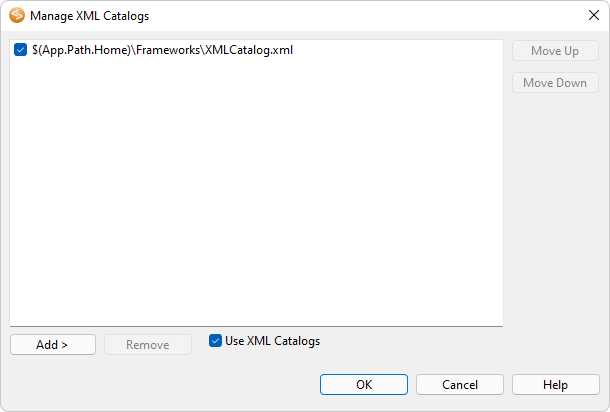
XMLBlueprint comes with a pre-installed XML Catalog. To see which schemas are supported by this catalog, click Preferences > XML Catalogs... and double-click the XML Catalog.
You can easy add additional XML Catalogs by pressing Add > Browse.., or Add > Servers.... Remove an XML Catalog by selecting the catalog and pressing Remove.
Only XML Catalogs that are checked will be used.
Check Use XML Catalogs if you want to use XML Catalogs, Use XML Catalogs is checked by default. The settings of the XML Catalogs is for all open documents.
 Welcome!