XML Completion
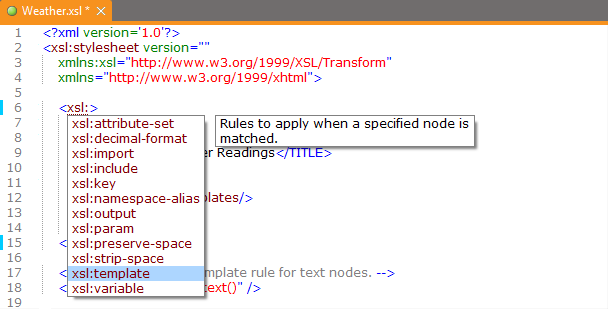
XML Completion consists of a number of features that really support you when editing an XML Document or XML Schema. See
Editing your XML Documents for more information.
How to get XML Completion for your own DTD, Relax NG Schema, Schematron or XML Schema.
To get XML Completion for an XML Document the document needs to be associated with a DTD, Relax NG Schema, Schematron or an XML Schema. See
Validating an XML Document for more information on how to associate your document to a DTD, Relax NG Schema or an XML Schema.
If the XML Document does contain a reference to a DTD, Relax NG Schema, Schematron or XML Schema but you don't get XML Completion, you can restart the XML Completion by clicking Schema > Learn XML Structure. After a few seconds a message is displayed to inform you if everything's ok.
The XML Completion can also be switched off, click Preferences > XML Completion Preferences and make sure XML Completion is checked.
How does the XML Completion work
Whenever you open an XML Document (and when you save it), XMLBlueprint will automatically load the appropriate XML Completion information. This information is stored in individual syntax files, a different syntax file for each schema. The syntax file is created the first time XMLBlueprint sees a reference to the schema in an XML Document. From then on, the syntax file is reloaded (but not recreated) each time the schema is spotted. However, the syntax file is automatically recreated whenever you make changes to the schema (only when you edit the schema in XMLBlueprint).
Normally, you don't have to worry about this: XML Completion works without any hassles in the background, giving you the best XML support possible.
 Welcome!