Overview
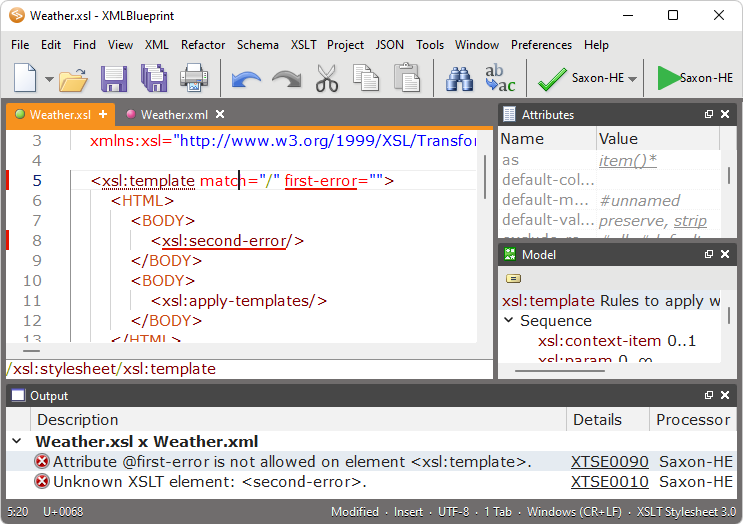
XMLBlueprint has multiple views for optimal support of your XML editing. To show the view(s) you need, choose: View > name of the view.
XMLBlueprint is organized into the following parts:
|
| • | Multiple
Editors in which you can edit all types of text documents. |
| • |
Attriutes view for viewing and editing all possible attributes of the current element, |
| • |
Entities view showing all entities that can be added to the XML document, |
| • |
Errors view for debugging XML or XSLT documents, |
| • |
Files view for easy access to your files and folders, |
| • |
Output view for the output of an XSLT transformation or the visual presentation of a (X)HTML document in a browser, |
| • |
Snippets view for capturing and reusing text fragments, |
| • |
Model view for viewing the structure of the current element, |
| • |
Outline view for easy and fast viewing and navigating your XML document, |
| • |
XPath view for evaluating XPath expressions. |
| • |
Toolbars and Status Bar. |
The positions and sizes of these windows can be customized to your needs by dragging and resizing them. Positions are saved over edit sessions, so you have to customize your windows only once.
 Welcome!