FTP, SFTP and WebDAV
With XMLBlueprint you can work with files on a remote FTP server, SFTP server or WebDAV server. XMLBlueprint connects to FTP servers using passive FTP mode. Make sure the server you are trying to connect to is supporting passive connections.
Loading a file from an FTP server, SFTP server or WebDAV server.
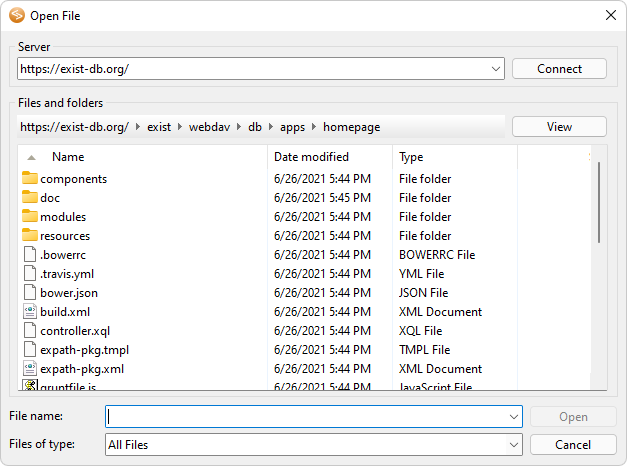
Click File > Open from FTP or WebDAV Server... to open a file from a remote FTP server, SFTP server or WebDAV server. The following dialog will popup:
|
| • | Server -- Enter the name of the folder you want to see and press Connect.Use the ftp:// prefix to load a file from an FTP server.Use the sftp:// prefix to load a file from an SFTP server.Use the http:// or https:// prefix to load a file from a WebDAV server.If you want to access the same server more often, you can create a
Server and use the name of that server. |
| • | File name -- Enter the name of the file you want to load in XMLBlueprint. |
Saving a file to an FTP server, SFTP server or WebDAV server.
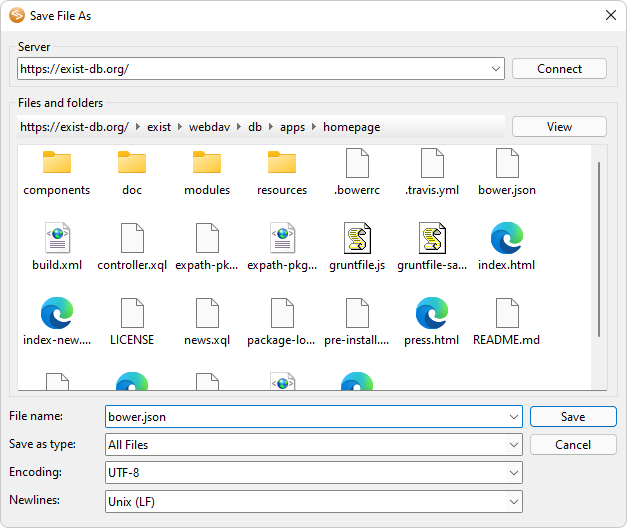
Click File > Save to FTP or WebDAV Server... to save the active file under a new name or in another location on a remote FTP server, SFTP server of WebDAV server.
|
| • | Server -- Enter the name of the server you want to see and press Connect.Use the ftp:// prefix to save the file to an FTP server.Use the sftp:// prefix to save the file to an SFTP server.Use the http:// or https:// prefix to save the file to a WebDAV server.If you want to access the same server more often, you can create a
Server and use the name of that server. |
| • | File name -- Enter a name for the file you want to save to the remote server. |
| • | Encoding -- Choose a file encoding. |
| • | Newlines -- Choose a file format. |
Username and Password
If you need to specify a username and password when accessing an FTP server use the following syntax:
If you need to specify a username and password when accessing an SFTP server use the following syntax:
If you need to specify a username and password when accessing a WebDAV server use the following syntax:
Use https:// is you are accessing a secure WebDAV server.
See Also
 Welcome!