
XMLBlueprint Schematron Editor
The intelligent Schematron Editor in XMLBlueprint has full support for Schematron. Its unique combination of just the right features and an affordable price for both professionals as well as home users makes it the smart choice for all your Schematron-related work. With XMLBlueprint you can edit and validate very large Schematron files (1GByte and larger). With its intuitive user interface, XMLBlueprint makes Schematron editing fast and easy. XMLBlueprint is the best choice for professional Schematron developers and home users alike.
Download a free, fully-functional 15-day trial of XMLBlueprint. There are no restrictions.
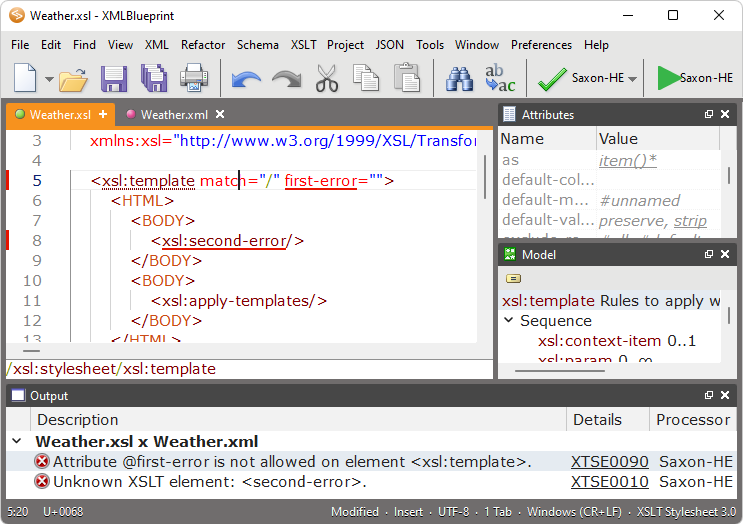
Schematron schemas are written in XML syntax, so you could use any text editor or XML editor to create and modify Schematron schemas. However, XMLBlueprint built-in support for Schematron can greatly enhance your editing experience when working with Schematron.
XMLBlueprint supports:
- Automatic Schematron Validation - Automatically underlines errors, as-you-type, in the Schematron schema.
- Intelligent Schematron Code Completion - Suggests a list of relevant element names, attribute names and values to insert in the Schematron schema.
- Schematron Breadbrumbs - Shows ancestors of the current element.
- Schematron Folding - Collapses some elements to focus on the remaining elements.
- Schematron Formatting - Indents elements and attributes in the Schematron schema using spaces or tabs.
- Schematron Hover Help - Show information about the element or attribute that is below the mouse cursor.
- Schematron Indentation - Correctly indents the element after your press ENTER using spaces or tabs.
- Schematron Outline - Outline of elements and attributes in the Schematron schema.
- Schematron Syntax Highlighting - Displays elements and attributes in different colors to improve the readability of the Schematron schema.
Automatic Schematron Validation
Automatically underlines errors, as-you-type, in the Schematron schema.
Intelligent Schematron Code Completion
Suggests a list of relevant element names, attribute names and values to insert in the Schematron schema.
Schematron Breadbrumbs
Shows ancestors of the current element.
Schematron Folding
Collapses some elements to focus on the remaining elements.
Schematron Formatting
Indents elements and attributes in the Schematron schema using spaces or tabs.
Schematron Hover Help
Show information about the element or attribute that is below the mouse cursor.
Schematron Indentation
Correctly indents the element after your press ENTER using spaces or tabs.
Schematron Outline
Outline of elements and attributes in the Schematron schema.
Schematron Syntax Highlighting
Displays elements and attributes in different colors to improve the readability of the Schematron schema.